When figures live on a desk, in a drawer and in a box under the bed, a simple question gets hard: do I already have this one? My Shelf is the free collection tracker on ifidea.com built around that question. Each series gets its own wall, each design gets a block, and you light up the blocks you own. Here is how to light your first one, with an Animal Heavenly Body wall as the example, plus a quick look at Sonny Angel, SMISKI and POP MART.
What My Shelf is: a checklist wall for each series
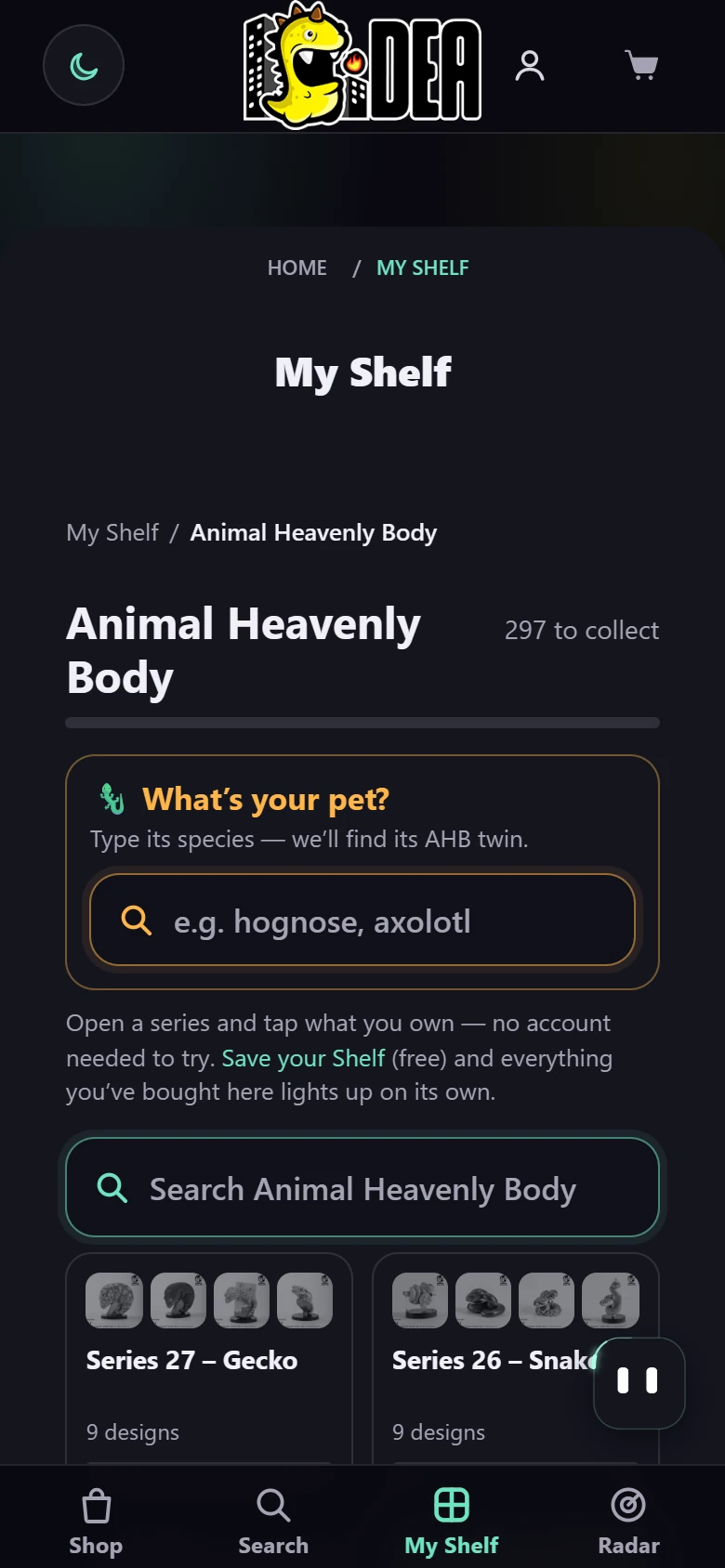
A wall is one series laid out as a grid of numbered photos, like a checklist. Gray blocks are the designs you don’t have yet; lit blocks are the ones on your shelf. The line above the grid tells you what the series holds, secrets included, so you’re never guessing how many there are. Back on the brand page, each series card keeps your count, like 3 / 9, so you can see where you stand without opening every wall.
How to light up your first figure
- Pick a wall. Open My Shelf at ifidea.com/my-shelf and choose a brand, or type what you collect into the search box. Then open a series.
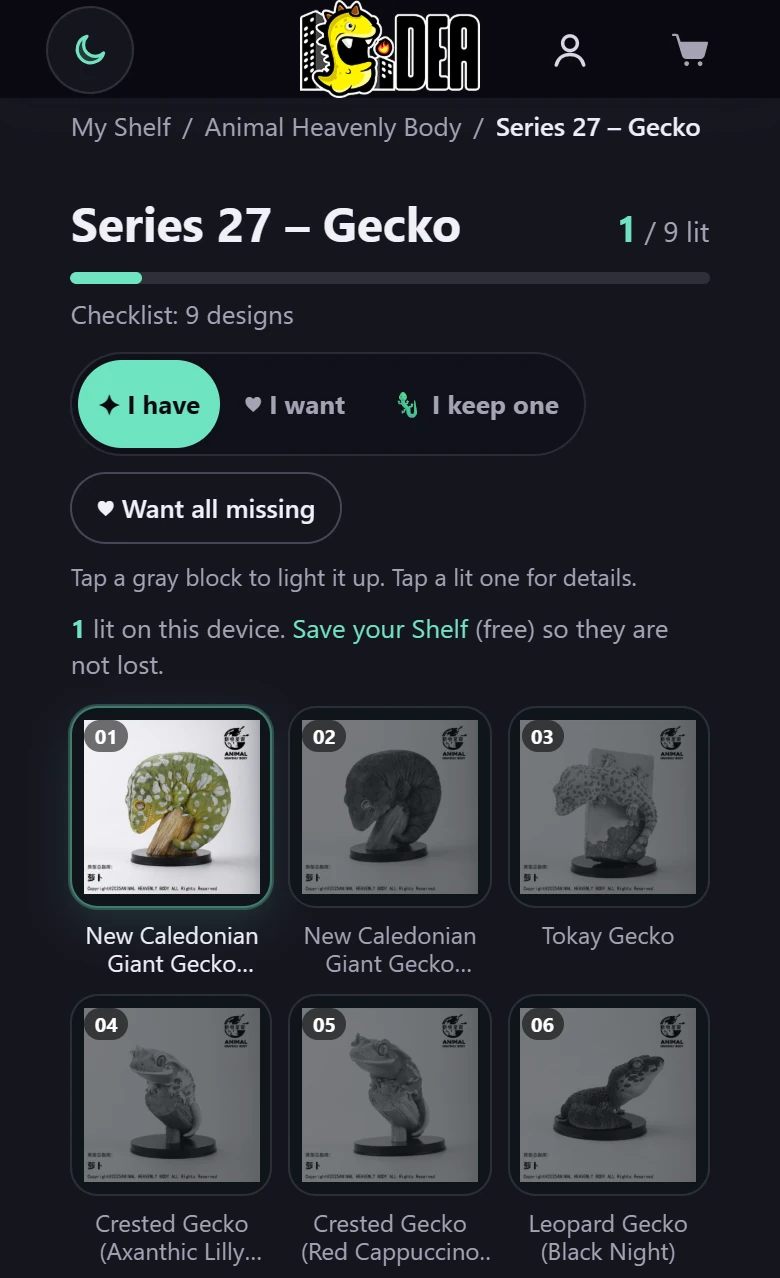
- Tap a gray block. The photo switches to full color and the counter moves to 1 / 9 lit. A bar with Undo pops up in case your thumb slipped.
- Tap a lit block for details: the design’s name and number, the month it joined your shelf, and buttons for +1 more and Un-light.
No account is needed for any of this. Until you save, your blocks stay on this device, and they’re still lit when you come back to the page.
Mark what you want and count your duplicates
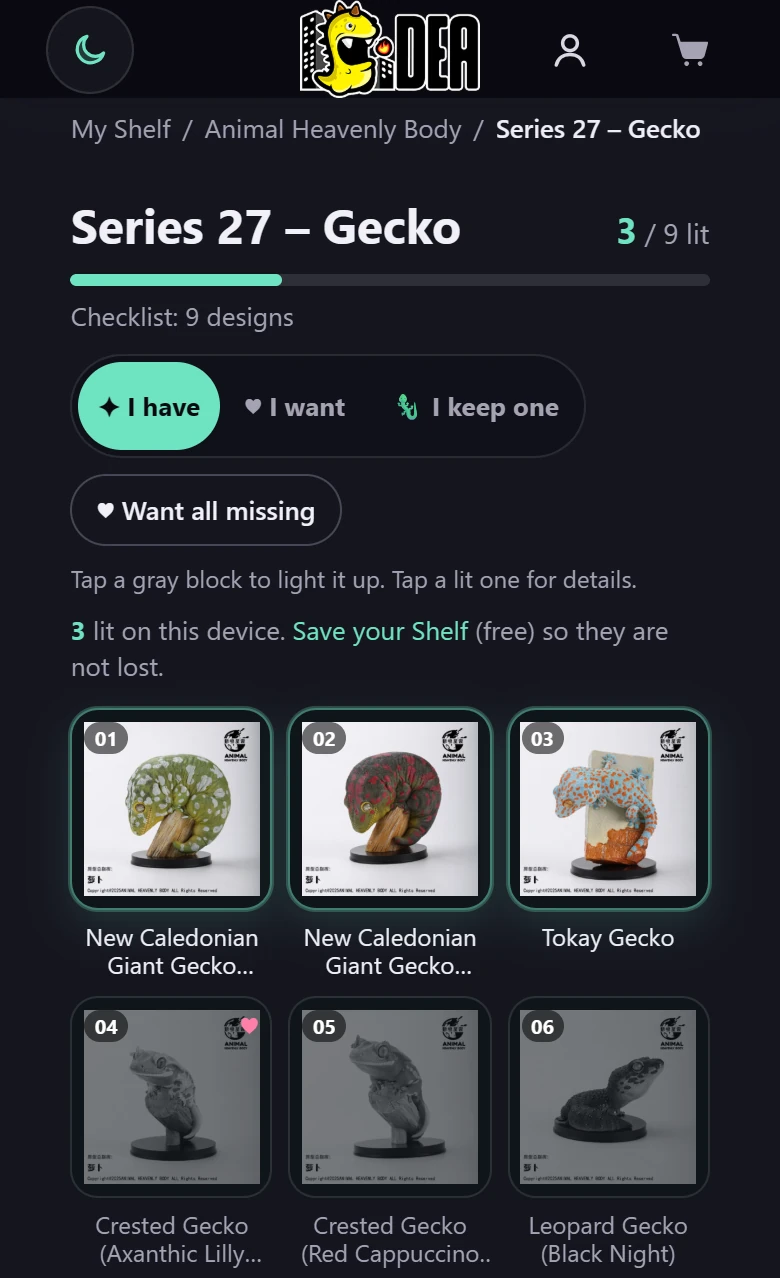
Switch the brush from ✦ I have to ♥ I want, and the next blocks you tap get a pink heart instead of a light. That’s your hunting list. If you’re just starting a series, ♥ Want all missing hearts the designs you don’t have in one go; secret designs are left out of it.
Pulled the same figure twice? Open it and tap +1 more. The block shows ×2, and the details count the extra one as a spare.
Save your Shelf (free) and get your own link
After a few blocks, a card asks if you’d like to save. Saving is free: continue with Google or use an email, or tap Keep going and decide later. Saving keeps the blocks you’ve already lit and gives you your own link to share your Shelf.
Four walls to start with
Animal Heavenly Body (AHB)
AHB figures are modeled on real species, so the AHB brand page adds a “What’s your pet?” box. Type a species, say leopard gecko, and it lists the AHB figures of that animal along with the series each one belongs to. The numbered series make tidy walls: Series 27 – Gecko, the one in the steps above, has nine blocks.
Sonny Angel
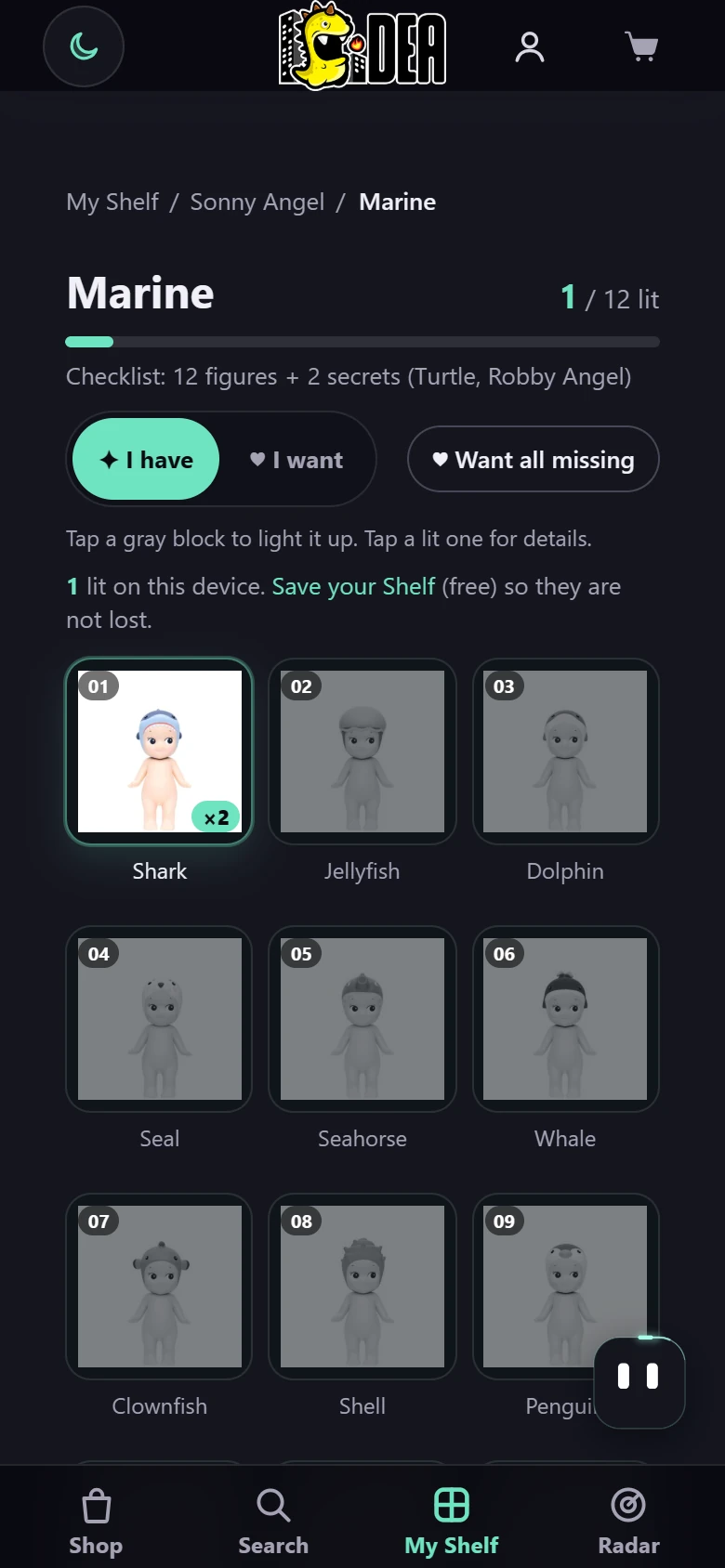
With a long run of series, the Sonny Angel brand page has a “Find your series” box. Type Marine and the other cards step aside. On the wall, the checklist line names the secrets: Marine reads “12 figures + 2 secrets (Turtle, Robby Angel),” and each secret has its own block. Blind boxes and duplicates go together, which is where +1 more earns its keep.
SMISKI
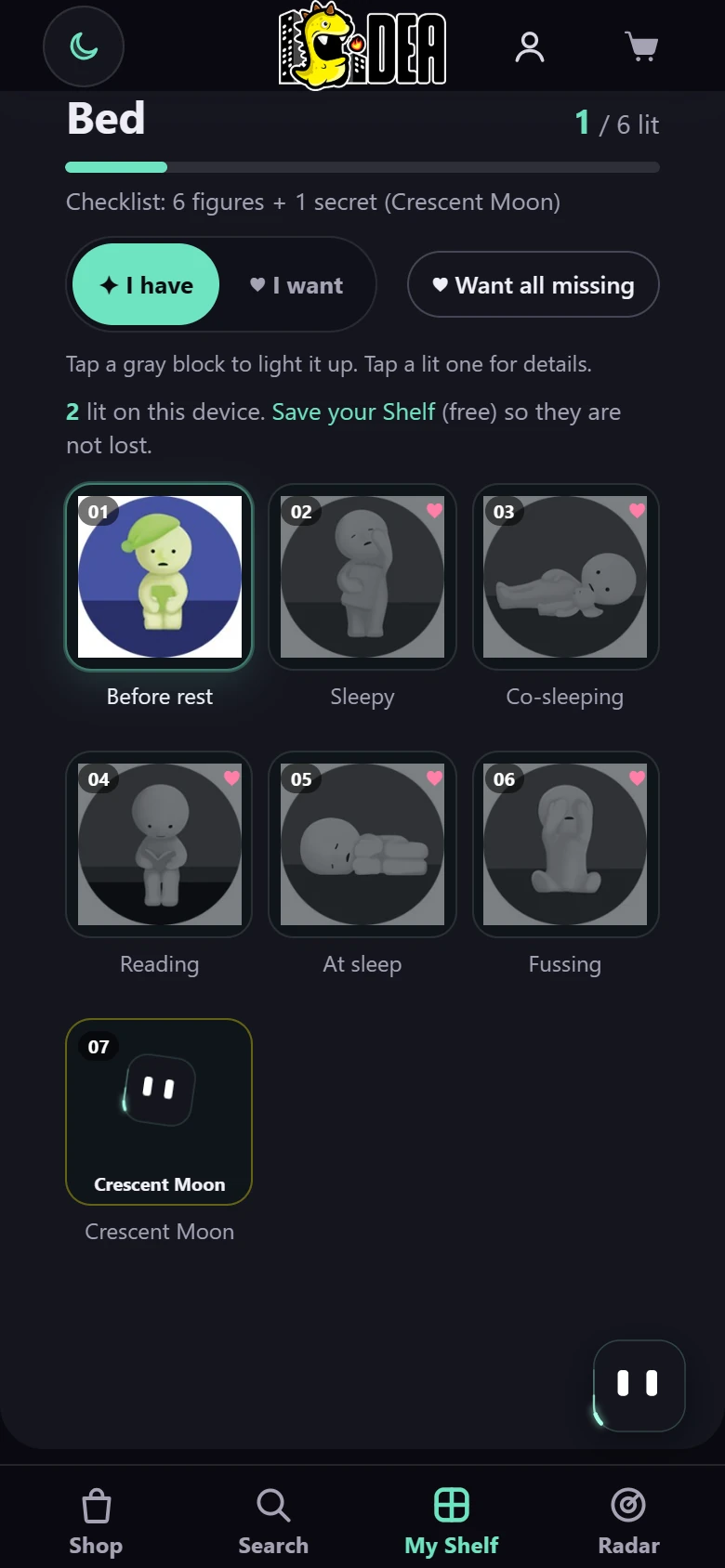
SMISKI series are short, and most walls hold six designs, so a wall can fill up fast. Bed, for example, lists “6 figures + 1 secret (Crescent Moon).” It’s a good wall to try ♥ Want all missing: light the one you have, tap the button, and the other five get hearts.
POP MART
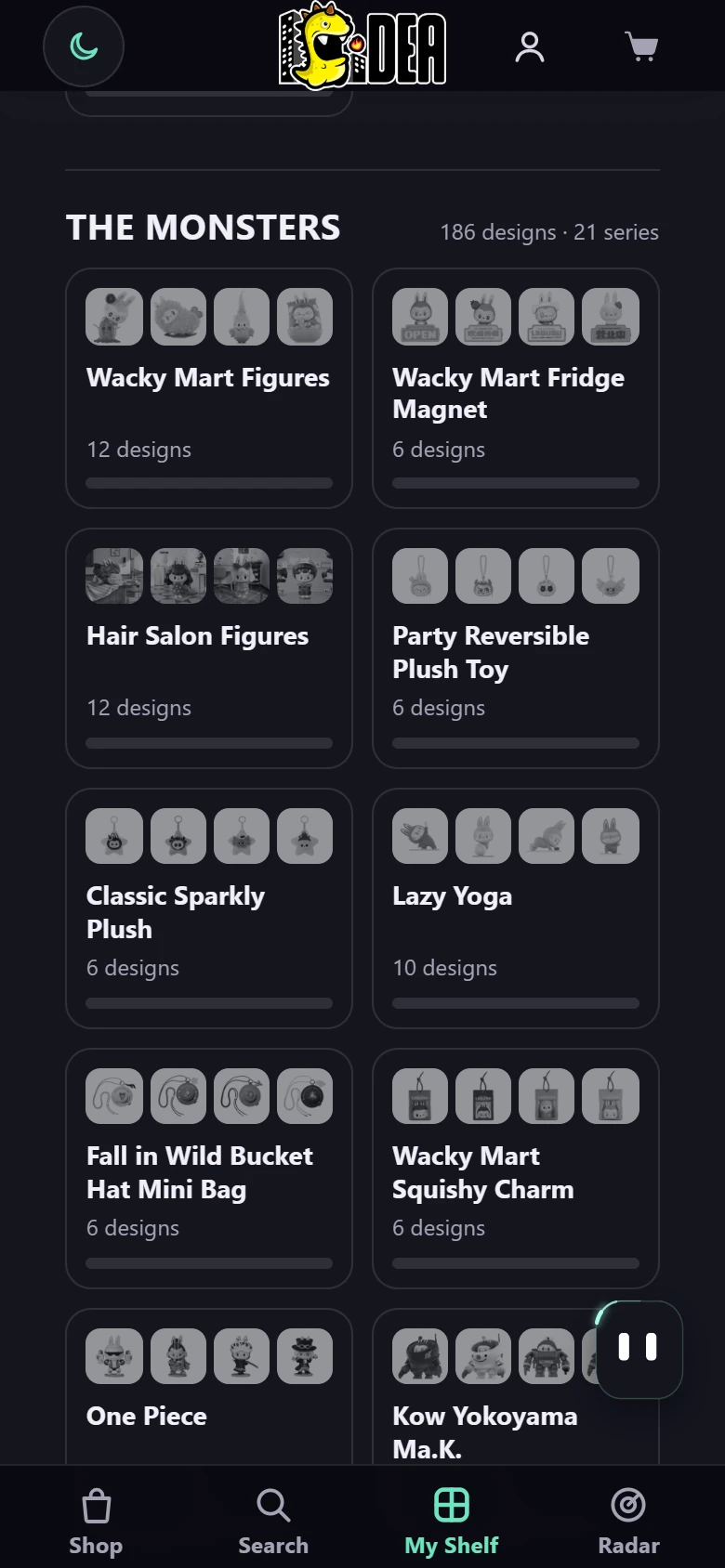
The POP MART brand page is grouped by character line, so you can browse by the names you already know: THE MONSTERS (where LABUBU lives), CRYBABY, DIMOO, HIRONO, SKULLPANDA, MOLLY and more. Inside, every wall works the same way. Wacky Mart Figures, under THE MONSTERS, lists “12 figures + 1 secret (Microwave Oven).”
Start with one series
We keep adding series, and the newest ones carry a NEW tag on the brand page. You don’t have to log everything in one sitting. I like how a gray series fills in with color one block at a time, and the first block is the one that counts. Pick a series you love, light the figure you own, and see how it feels. If it clicks, save your Shelf. If it doesn’t, there’s nothing to cancel.
Last updated November 2026.